Shopbot Tools were kind enough to allow us some space on their stand at this year's San Francisco Maker Faire. We had the Kinect project pretty much up and running (see the project details here) but with the event suddenly looming, we realized we also needed some sort of 'identity' for our stand.
We wanted something to capture the idea of the fun, technical, projects that we get involved in from time to time, but which are not commercial Vectric products. We also wanted an iconic image or design that would be CNC-able, using a variety of techniques (we *love* CNC!), so we could produce different versions depending on our needs.
Designing the logo
I started to lay the design out in Inkscape (this is a brilliant Open Source vector drawing package, available for free here) and quickly settled on the idea of a 'techno skull & crossbones'. I wanted the skull to have a slightly mad look to it and initially settled on this eye-popping, light-bulb-headed character:
But it wasn't quite right. The consensus was he was a bit too cartoony and the light bulb detail was a bit fiddly. Also, everyone loved the idea of the cog teeth though so I thought I should emphasize those even more. I pretty much started the drawing again with just the key concepts in mind and ended up with this:
We liked this one so thought we should tidy him up to make the final version. We tried more realistic spanners, and removed some of the asymmetries from the original drawing but, despite the work, we just didn't like the 'accurate' version as much! So we agreed on the original design at about 5:30pm.
Get Real!
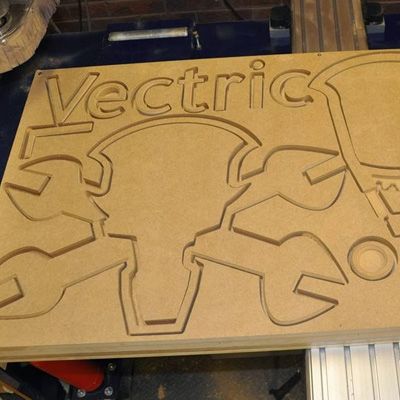
I exported the vectors from Inkscape as an eps file and imported them into Aspire and sent that to Brian. He split up the vectors into layered pieces and machined the design from a single sheet of 19mm MDF on the Shopbot Buddy he has in his garage that evening (did I mention we *love* CNC?).
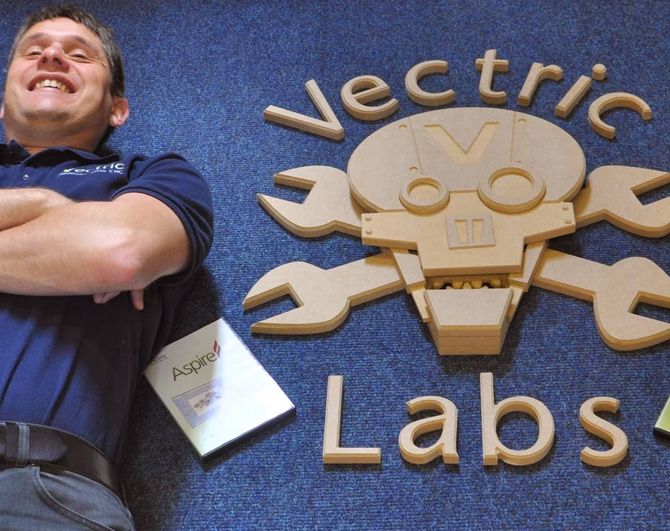
By the time I came into the office the next morning, I could meet my finished design - 2ft across and looking great!

Vectric Ltd
Precision House
2 Arden Road
Alcester
B49 6HN
Registered in England Number 05382596
VAT Registration GB115123072
Privacy Policy |
Cookie Policy |
Terms and Conditions



