Today’s project is courtesy of our friends at www.designandmake.com – who have provided us with a specially designed CNC-Mini-Project.
These Projects are a collection of themed models (and some vectors) which can be arranged into a custom assembly and machined using Aspire 4.5.
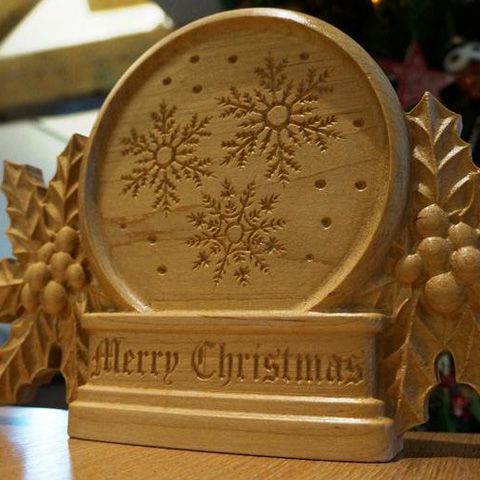
Here in the office we took the FREE 'Home for the Holidays No.4' project files provided and arranged them to make a variation on the Snow Globe carving. We moved the holly to either side of the globe and added the snow-flakes and text to v-carve onto the model. Our layout is included as the second zip file you can download below – this is a CRV3D file once unzipped.
For the machining I roughed using a 0.25” End Mill – first doing a fairly aggressive Z-Level with a 0.05” allowance, then going over in a single pass to do a Raster Rough with a 0.03” allowance, although this take a bit longer than just Z-Level roughing I like the more even material thickness it leaves for the finishing. I avoided the middle of the globe with the 3D toolpaths and instead did a 2D Profile cut to the depth of the flat surface. For finishing I used a tapered 1/8” Ball Nose tool, 10% stepover. Finally I used a 90 degree v-bit (0.75” diameter to avoid hitting any of the vertical surfaces) to cut the text and snow-flakes, using the “Project onto 3D Model” option to get it to follow the 3D surface. You can see the Rough, Finish and VCarve toolpath results in the three pictures below.
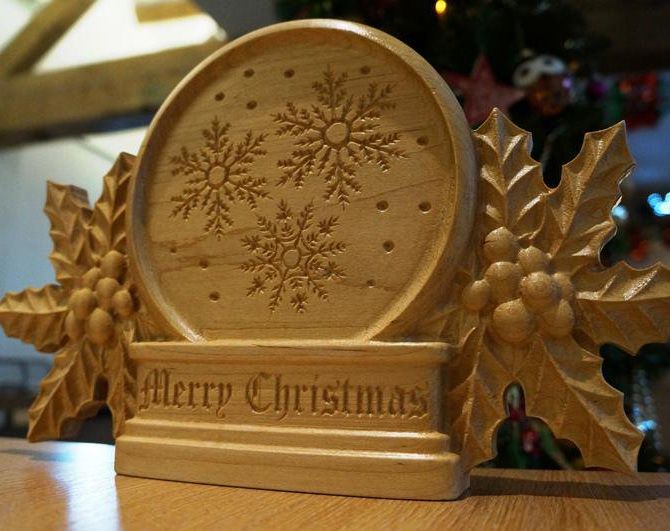
I took the finished part home and did a bit of scraping and sanding to clean up the fuzzies and then applied a couple of coats of shellac sanding sealer. This is what you can see in the image to the right. At some point it will probably benefit from some gel-stain to further enhance the 3D, however it looks pretty good as is and my daughter says she would like it in her room, so that’s a good endorsement.
Download project here: https://store.designandmake.com/shop/product/41

Vectric Ltd
Precision House
2 Arden Road
Alcester
B49 6HN
Registered in England Number 05382596
VAT Registration GB115123072
Privacy Policy |
Cookie Policy |
Terms and Conditions



