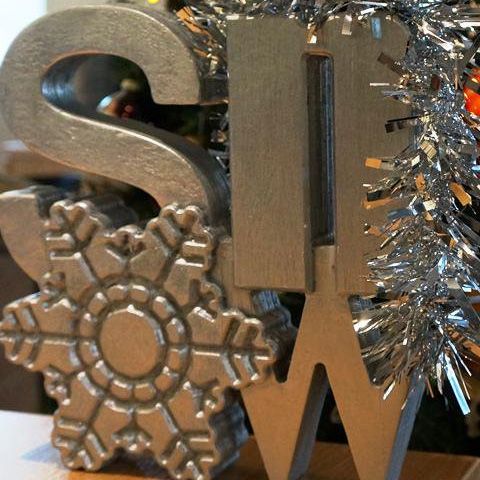
Todays project is a simple standing word to go on a shelf that says ‘Snow’. It seems that these are quite popular amongst the high-street stores – so I thought I would have a go at making one myself. There are lots of ways that you could approach this yourself, I decided to go for a square area and create the different letters at two different heights.
The files for this project are compatible with VCarve Pro 7.5 and Aspire 4.5.
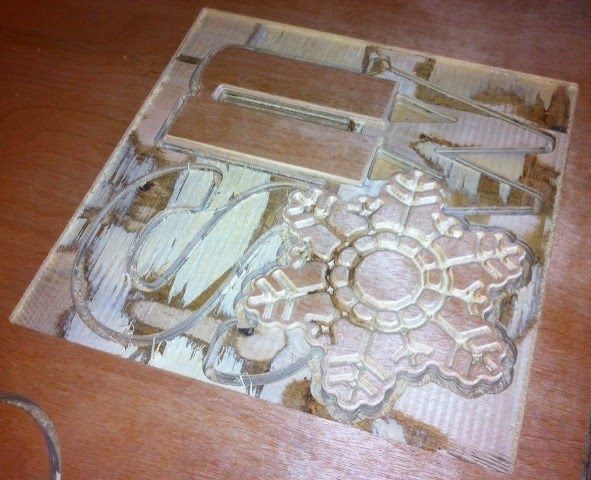
I wanted to incorporate a snowflake into the design so I drew up the vectors for that. I then selected different fonts using the create text tool to draw up the other letters. This is quite a simple design to cut, and requires only two tools; a 90° 0.5” V-Bit for the snowflake design and to create a nice chamfered edge on both the snowflake and the letter ‘N’, and then we used a 0.25” Endmill to create two pockets; one to create the height difference for the ‘S’ and ‘W’ so that they are lower than the snowflake and the ‘N’. The other pocket was used between the spaces in the ‘N’ and ‘W’. The whole part was then profiled with the Endmill. It was a fairly quick project to cut out – where we cut the part in 0.7” (low quality) Plywood and for extra thickness we cut another piece that was just profiled all the the way through the material, and the two pieces were then glued together.
I would personally recommend using a nice solid piece of hardwood or worst case something like MDF to cut this out as you’re probably going to get a cleaner finish, our version due to the quality of the ply we used required a lot of sanding and filling areas in.
To finish the part I sprayed the whole thing silver and added some glitter to the snowflake, very Christmassy!



Suitable for version 7 or greater
Login to V&Co to download the files
LoginPlease access this page on a desktop computer to download the files

Vectric Ltd
Precision House
2 Arden Road
Alcester
B49 6HN
Registered in England Number 05382596
VAT Registration GB115123072
Privacy Policy |
Cookie Policy |
Terms and Conditions



