This tip and trick was included at the User Group Meeting in 2015 held in the UK (Wootton Wawen, Warwickshire) and US ( Las Vegas, Nevada).
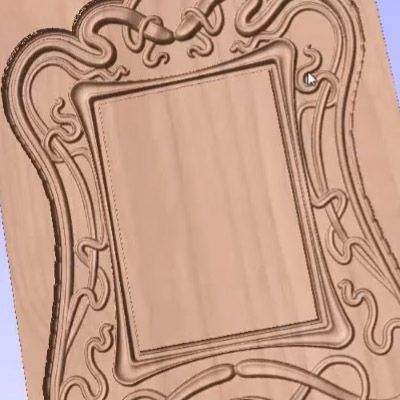
This video shows how to model and machine an Art-Nouveau style frame. It uses both the Two Rail Sweep and also the Extrude and Weave functions in Aspire. For the inner frame we examine some tips and tricks for making smooth corners and overlapping edges. Then for the outer elements we take components created in another session of the software and extrude them along the paths of the design vectors while at the same time weaving the shapes together. During this process we look at an advanced technique to weave different components using the same set of vectors. Finally the finished part has toolpaths created to cut it on the CNC.



Suitable for version 8 or greater
Login to V&Co to download the files
LoginPlease access this page on a desktop computer to download the files

Vectric Ltd
Precision House
2 Arden Road
Alcester
B49 6HN
Registered in England Number 05382596
VAT Registration GB115123072
Privacy Policy |
Cookie Policy |
Terms and Conditions



