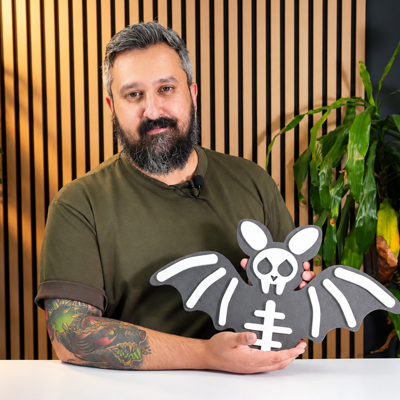
Welcome to the Labs sessions with Nav! We love to make and share projects with our community and enjoy nothing more than providing you with FREE monthly CNC projects that you can download and cut for yourself!
Each project comes with its own video for you to watch telling the story of what we’re making from start to finish. It includes technical software footage, machining each part in the Labs and finishing the project, and as an added bonus, we throw in a few tips based on our experience! We would love to see what you turned this project into so download the files from your V&CO account then share what you’ve made on the Vectric Forum.
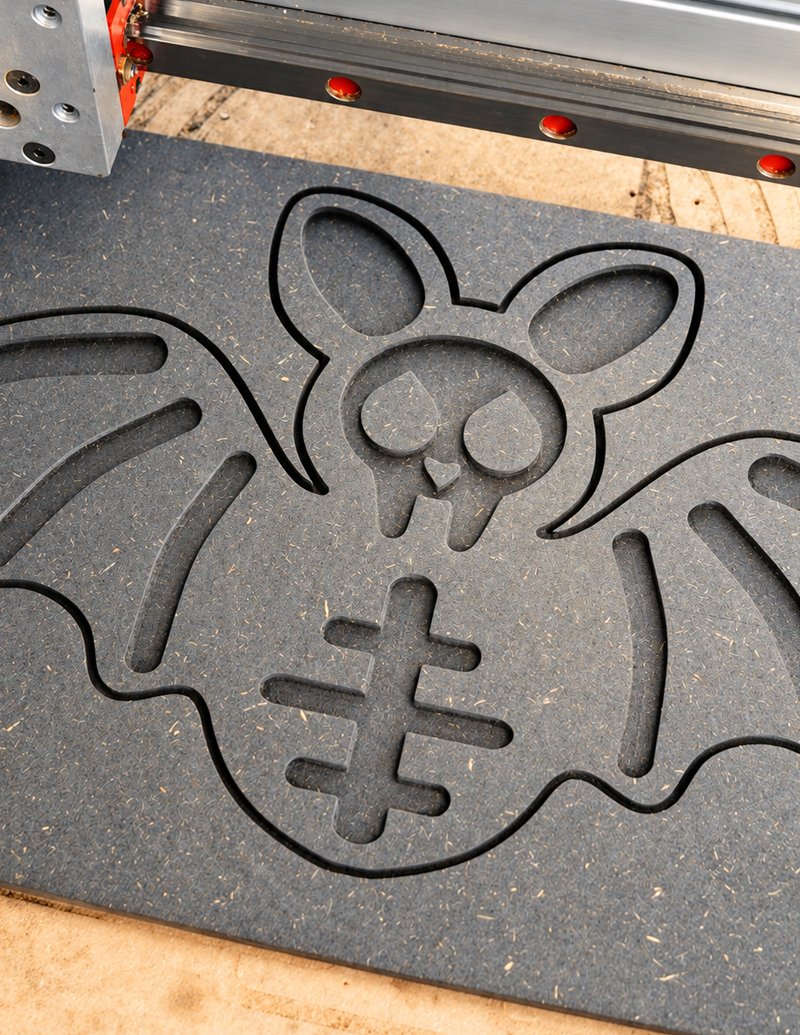
There’s no tricks and all treat with this month’s free project, the quick Halloween inlay project. Nav is going to show you how you can make this lovely looking bat and how to keeps his bones in place, using the powerful tools in the software.
He will cover how to trace an image of a bat to create vectors, using the Trace Bitmap tool. Then show you how to use the drawing tools in combination with the intuitive node editing tools, to create the bones of the bat. Look out for some handy tips using the mirror tool to quickly bring the design together, ready for toolpathing.
This project makes use of the Inlay tool, to create a straight inlay with the bones of the bat being raised to give a striking visual effect. Add a lick of paint and some glow in the dark spray, and you’ve got a Halloween decoration to give everyone who stops by some Halloween happiness.
Happy Make-o-ween!





Passend für Ausführung 12 oder größer
Login to V&Co to download the files
AnmeldungPlease access this page on a desktop computer to download the files

Vectric Ltd
Precision House
2 Arden Road
Alcester
B49 6HN
Eingetragen in England unter der Nummer 05382596
Umsatzsteuer-Identifikationsnummer GB115123072
Datenschutzerklärung |
Cookie-Richtlinie |
Allgemeine Geschäftsbedingungen



