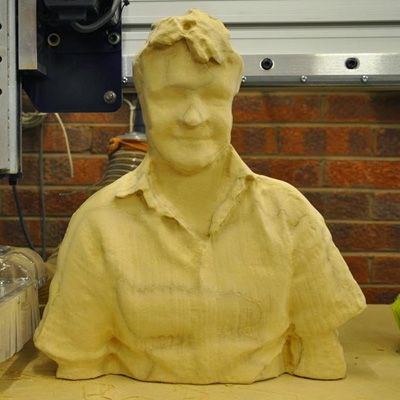
Est-il vraiment possible d'obtenir des données 3D exploitables par CNC à partir d'une interface de jeu à 150 $ ? Voyons voir…
La Xbox Kinect de Microsoft est un gadget sympa conçu pour être branché à une Xbox 360 afin de permettre l'interaction avec les jeux par gestes et mouvements corporels. Cependant, deux ou trois aspects ont attiré notre attention…
Firstly, it comes with a standard USB adapter, originally intended to allow it to be used with older Xboxes, which allows it to be connected to a standard PC. Secondly, the gesture technology relies on a 3D scan of the environment in front of the Kinect using an infrared pattern - would this 3D scan be good enough for us to create 3D models with enough detail to cut using a CNC machine?
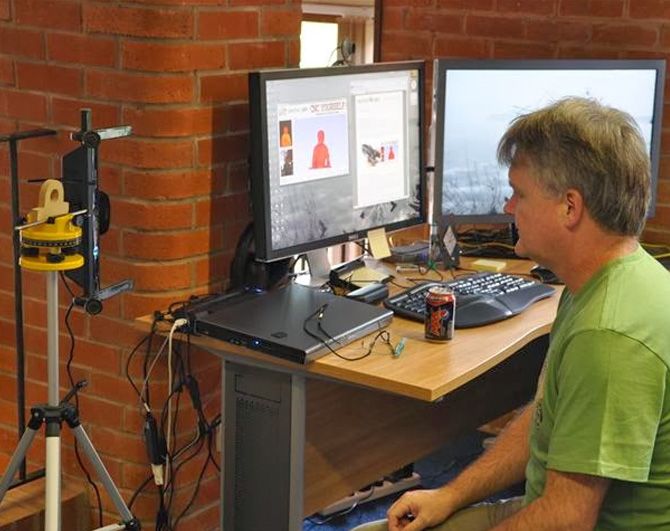
The three sensors we were interested in were the infrared projector, infrared camera and normal camera. The Kinect works by projecting a structured pattern (that looks a bit like a 2D barcode) out into the world. The infrared camera analyzes how this pattern is distorted and reflected to build up a map of distances to the nearest objects in front of the Kinect. Simultaneously the webcam streams conventional video of the scene alongside the 3D data.
With a little help from our friends...Pour accéder à ces données, nous avons utilisé deux bibliothèques open source : libfreenect (http://openkinect.org/wiki/Main_Page) et libusb (http://www.libusb.org/). D'autres options existent, mais notre choix s'est porté sur ces deux bibliothèques car elles fournissent un code source complet, ce qui est toujours rassurant lorsqu'on s'aventure dans un projet novateur ;)
Brian a d'abord modifié l'application d'exemple fournie, puis, durant le week-end, il a créé une application MFC spécifique pour effectuer une partie du prétraitement. L'API de libfreenect s'est avérée assez simple à implémenter dans un projet entièrement personnalisé. Nous avons ensuite utilisé une version personnalisée de notre logiciel de modélisation et de fabrication CNC 3D, Aspire, pour importer les données et les manipuler. En une journée, Brian était convaincu qu'avec quelques manipulations dans Aspire, les données brutes pouvaient être combinées et améliorées suffisamment pour produire des résultats d'usinage 3 axes tout à fait satisfaisants !
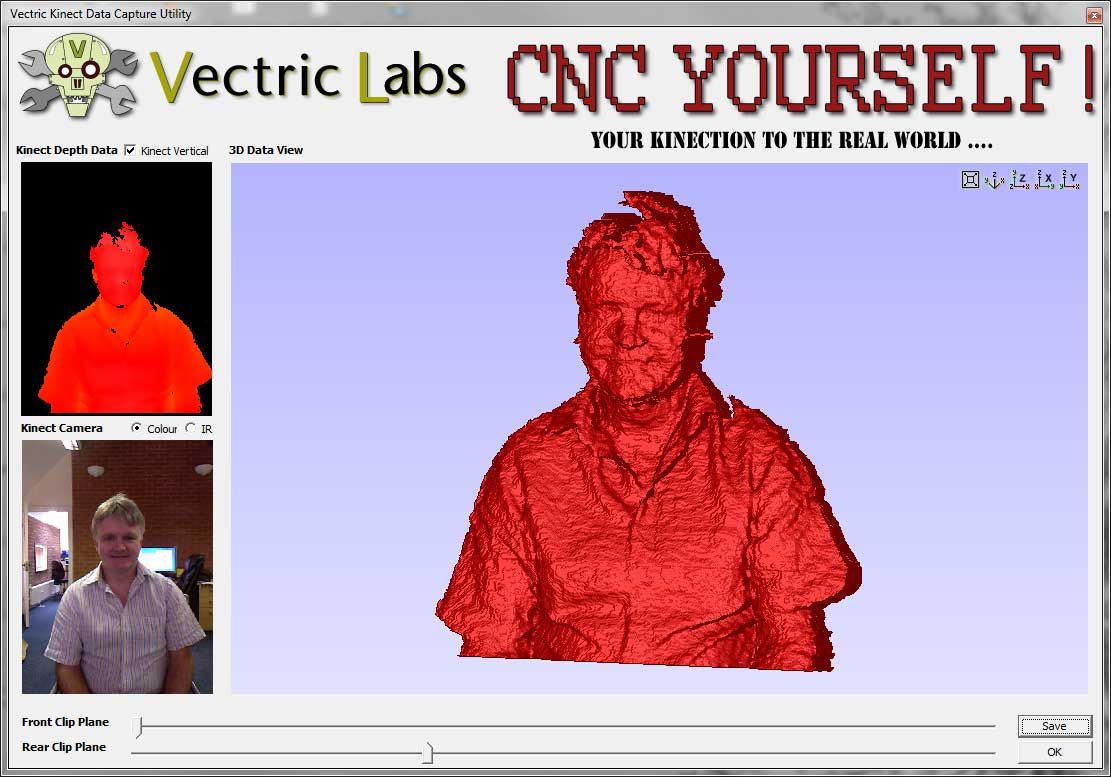
Notre version actuelle du processus comporte cinq étapes principales :Firstly we use 25 frames of 3D data (captured in 1 second) to average out some of the inherent noise found in a single frame.
We also use the bespoke capture app to limit the 3D data to distances that we are interested in, with sliders to remove data in front of, or behind, the target we are capturing.
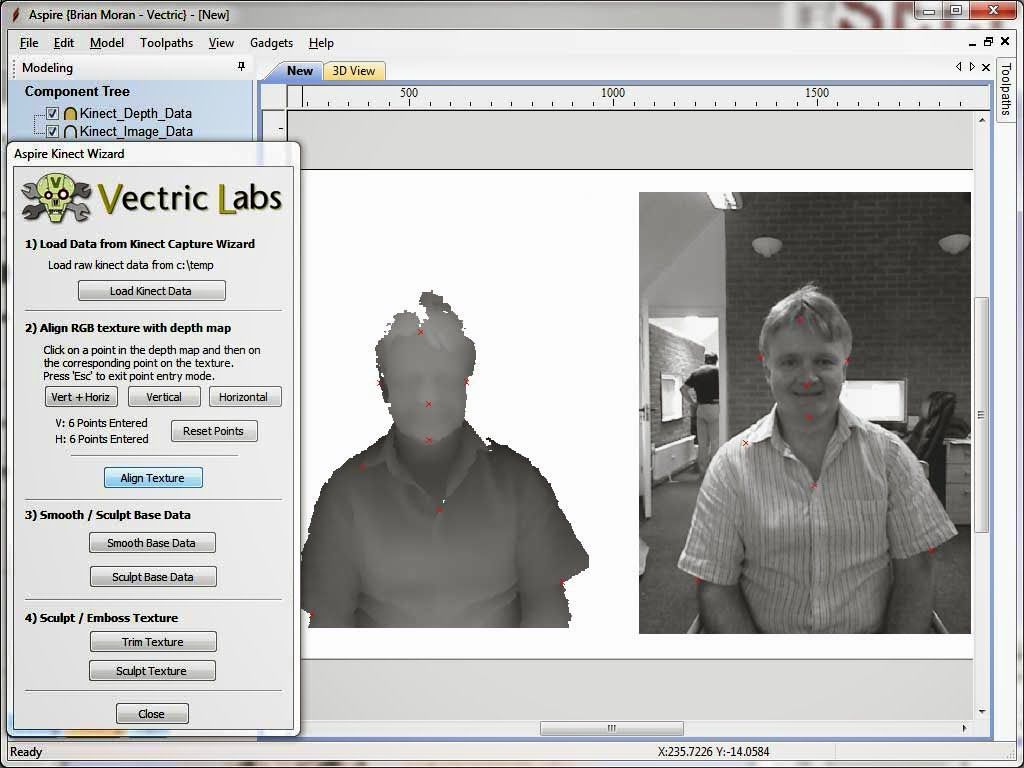
The data is than imported into a custom build of Aspire where a wizard assists the process of aligning the true 3D data, with a low relief created from the web camera image - shadows and brightness changes in the photo are not directly related to 3D shape, but they do add a great deal of detail if used judiciously.
The model elements can now be smoothed, scaled or even sculpted individually to produce a nice composite model.
Toolpaths can then be generated and the model cut.
After a bit more manipulation in Aspire (to lower the head area to reduce the required thickness of material), the model was sliced so that we could cut it in 3 layers using 1" (25mm) MDF.Les pièces ont ensuite été collées ensemble...
Nous allons présenter le processus « Kinectez-vous à votre CNC » au San Francisco Maker Faire la semaine prochaine (22-23 mai 2011) et nous espérons vous y voir nombreux !

Vectric Ltd
Precision House
2 Arden Road
Alcester
B49 6HN
Immatriculée en Angleterre sous le numéro 05382596
Immatriculation à la TVA GB115123072
Politique de confidentialité |
Politique relative aux cookies |
Termes et conditions



